Block Puzzle Classic
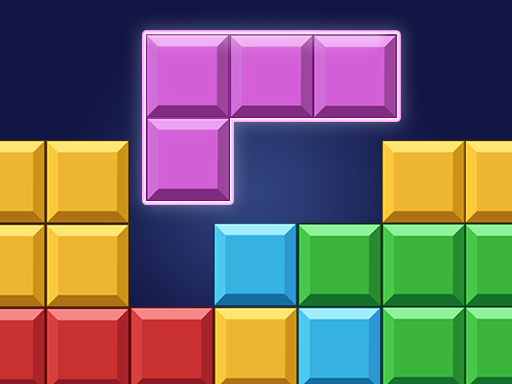
Place the pieces into board. Once you fill in a vertical or horizontal line, it will disappear, freeing up space for new pieces. Game will be over if there are no space for any the given blocks below the board.
| Platform | Browser (Desktop, IOS, Android) |
|---|---|
| Category | Puzzle |
| Added Date | 21 Nov 2025 |
| Technology | HTML5 |
| Resolution | 1080 x 1920 |
How to Play Block Puzzle Classic?
In Block Puzzle Classic, your goal is to strategically place the blocks onto the board. Fill in either a vertical or horizontal line to make it disappear and create more space for new blocks. Be careful, as the game ends when there’s no space left for upcoming blocks. 1. Drag and drop blocks onto the board. 2. Fill lines horizontally or vertically to clear them. 3. Continue until no space remains for additional blocks.
Tips for Success
1. Try to save space for larger blocks to maximize line clearing. 2. Focus on filling multiple lines at once for greater space management. 3. Keep an eye on the block queue to plan your next moves.
Remember that browser games are designed to be accessible and enjoyable for players of all skill levels. Don't be discouraged by initial failures - each attempt helps you learn and improve. Most importantly, have fun! Block Puzzle Classic is meant to be an enjoyable experience, so relax and enjoy the gameplay.
If you need help or want to learn more about this game genre, check out our gaming guides for tips and strategies.
Why You'll Love It
Puzzle enthusiasts will appreciate the strategic depth of Block Puzzle Classic, where each move counts. The simplicity of filling lines offers a rewarding challenge that will keep you coming back for more.
Features
- Free to play
- No download required
- Works on desktop and mobile
- Engaging block mechanics
- Strategic gameplay
- Classic puzzle design